Managing multiple cloud storage accounts creates challenges when migrating data between platforms. Common approaches include manual downloading and uploading, using built-in provider migration tools, or employing third-party multi-cloud management services. Each method varies in efficiency depending on the volume of data and the frequency of transfers.
Third-party management services streamline large-scale transfers, synchronizations, and backups by processing data directly between cloud providers. Before using these tools, individuals should evaluate security measures such as OAuth authentication and data encryption. Choosing the right strategy depends on the user’s specific workflow and technical requirements.
Cloud storage has made it easier to access files from almost anywhere, but it has also created a new problem: many people no longer use just one cloud.
You might have a personal Google Drive account with documents, Dropbox with shared project files, OneDrive for work and Google Photos or iCloud with years of precious memories. For businesses the story can be even more complex, particularly where there are multiple teams or clients on multiple platforms.
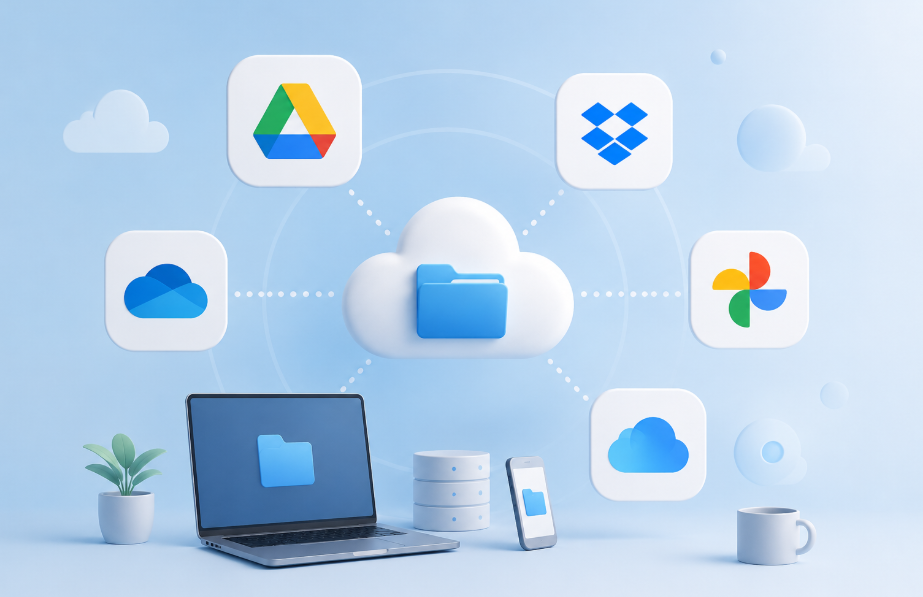
To be honest, using several cloud services simultaneously is not necessarily a problem. Managing the files scattered across them is.
Why Multiple Cloud Accounts Become Difficult to Manage
Cloud platforms generally work well when files stay inside their own ecosystems. The inconvenience becomes more noticeable when you need to migrate files from one to another for some reasons.
Suppose you want to move a large collection of files from Google Drive to Dropbox. One option is to download everything to a computer and upload it again. For a few folders, this may be the simplest solution.
For a larger amount of data migration, however, several practical issues appear:
- Local storage is needed for downloaded files.
- Large transfers can consume significant bandwidth.
- Interrupted downloads or uploads may need to be restarted.
- Repeating the same process regularly becomes time-consuming.
These issues explain why there is no single best way to manage files across clouds.
Three Common Ways to Move Data Between Clouds
Cloud-to-cloud migration generally falls into three approaches.
- Manual download and upload is the most straightforward. First download files from the source cloud to your local device, then upload from the local to the destination cloud drive. No additional cloud-management service required, and it works well for relatively small, one-time transfers.
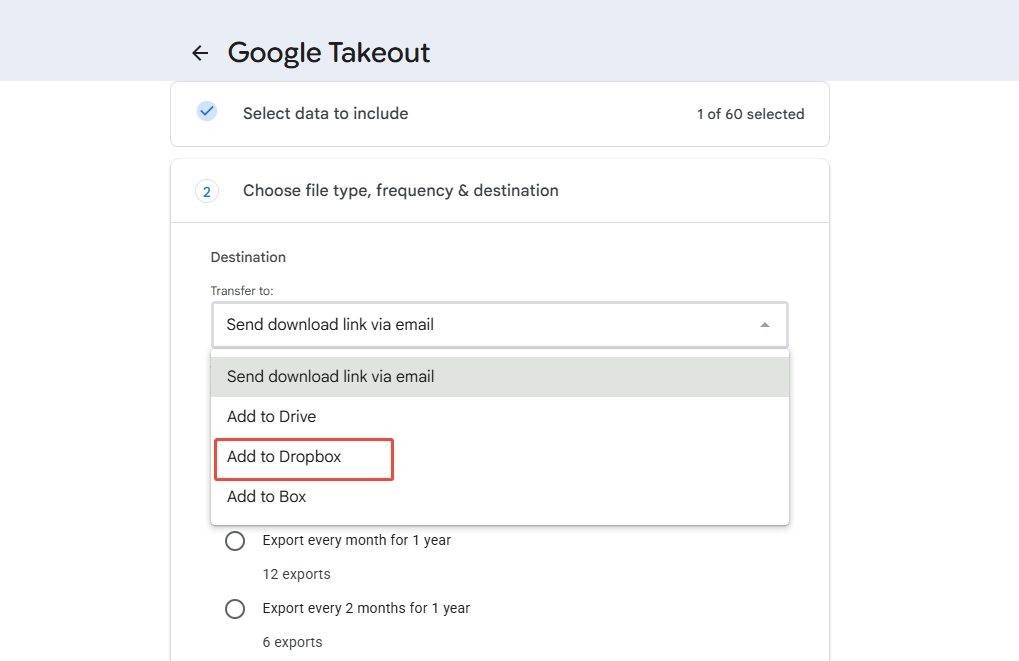
- Built-in export or migration services are another option. Some cloud providers offer specialized tools for exporting account data or transferring certain types of content. Google Takeout, for example, allows users to export data from supported Google services to Dropbox, Box.
- Third-party multi-cloud management services connect supported cloud accounts and manage operations between them. Instead of routing every file through the user’s computer, these services can handle cloud-to-cloud tasks through their own infrastructure and cloud APIs.
Transfer, Sync, and Backup Are Different Tasks
Before choosing a method, it helps to define what should happen to the files. Transfer, synchronization, and backup are related concepts, but they are not interchangeable.
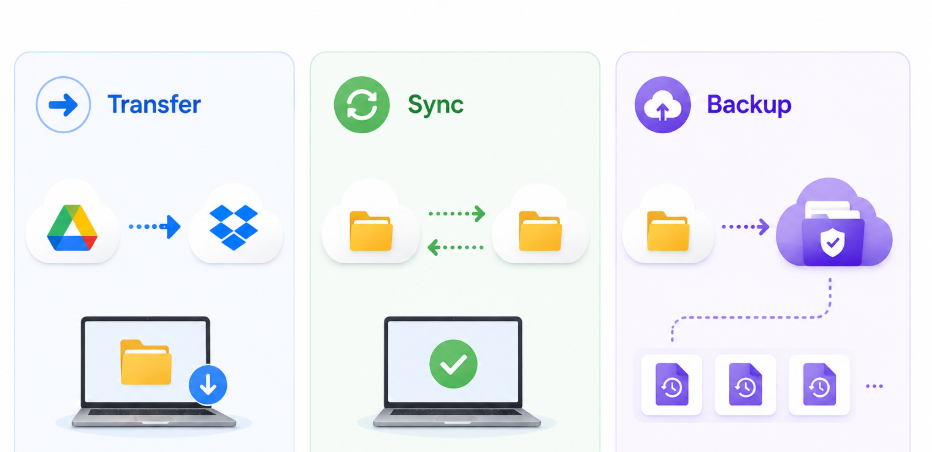
- A transfer is generally appropriate when data needs to be moved or copied from one cloud location to another. This might happen when changing providers or consolidating old accounts.
- A sync is more useful when two locations need to remain connected over time. Changes made in one cloud can be reflected in another according to the synchronization mode being used.
- A backup has a different purpose: maintaining another recoverable copy of important data. In MultCloud, Cloud Backup can maintain backup versions that can later be restored rather than simply keeping two folders synchronized.
What to Check Before Using a Multi-Cloud Management Service
Connecting multiple cloud accounts to a single platform adds another layer to the storage environment. Before proceeding, users should understand how the platform handles authentication, permissions, data transmission, and privacy.
Several questions are worth checking:
- Does the service use OAuth or require the cloud account password?
- What account permissions does it request?
- How is data protected while being transferred?
- Does the service temporarily store file content?
- Can account access be revoked easily?
- How does it process personal information?
- Are there limitations imposed by the cloud provider’s API?
- What privacy regulations or contractual safeguards apply?
Security documentation should be reviewed rather than assuming that every multi-cloud platform handles these issues in the same way.
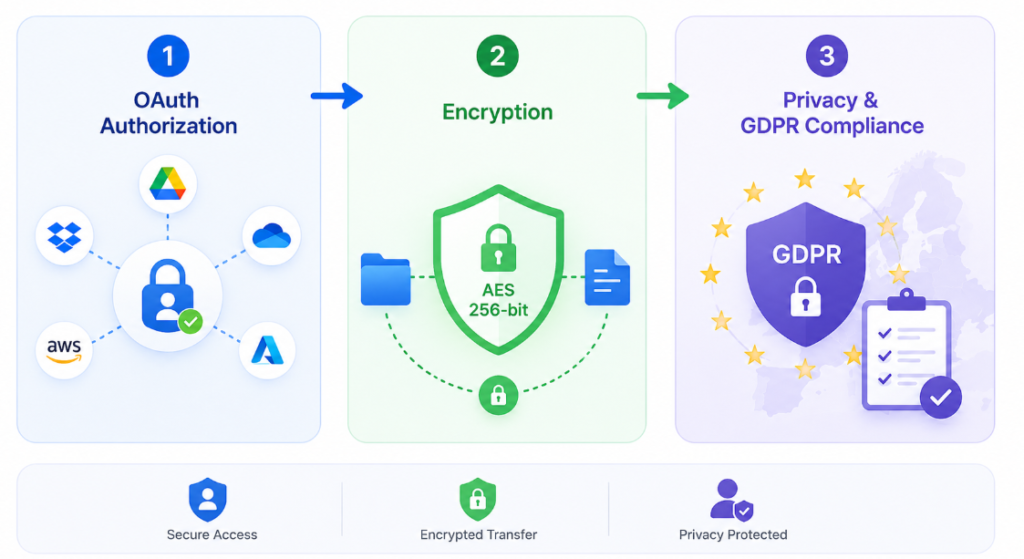
For example, MultCloud, one of the famous cloud-to-cloud transfer tools nowadays, states that supported cloud accounts are connected through OAuth authorization rather than requiring users to provide their cloud passwords directly, and that data transfers are protected using 256-bit AES encryption. It also publishes information about its privacy practices and GDPR-related safeguards. The same type of review should be performed for any third-party service before granting it access to important cloud data.
MultCloud can create transfer tasks between supported cloud storage accounts. Instead of using the computer as an intermediate storage location, the transfer is processed between the connected cloud services. This changes the role of the user’s device. A computer no longer needs to download every file before sending it somewhere else, and a transfer can continue after the browser or computer has been closed.
This approach is particularly useful during larger migrations, such as moving files from Dropbox to Google Drive, transferring data between OneDrive accounts, or reorganizing storage after switching cloud providers.
When a Multi-Cloud Manager Is and Isn’t Necessary
Not every multi-cloud user needs a dedicated management platform.
If you occasionally move a few documents between two accounts, downloading and uploading them manually may be faster than configuring another service. Native migration tools can also be preferable when a provider offers a direct transfer method that matches the exact task.
A multi-cloud management service becomes more useful when the workflow involves large migrations, several cloud providers, recurring transfers, synchronization, or backups that would otherwise require repeated manual work.
The decision should therefore start with the workflow rather than the tool.